Product Design
RØDECaster Video
Role
Lead Product Designer
Timeline
12 months
Platform
Hardware & Companion App
Methods
Interviews · Workshops · Usability Testing · Contextual Inquiry
Overview
RØDECaster Video is a comprehensive video and audio production console designed for content creators, podcasters, and broadcasters. The goal was to develop a seamless, user-friendly device that simplifies multi-camera and audio production without sacrificing professional capabilities.
The key was understanding the frustrations creators face daily and designing a solution that feels like an extension of their creative process — allowing them to jump straight into setup and creation.
The Challenge
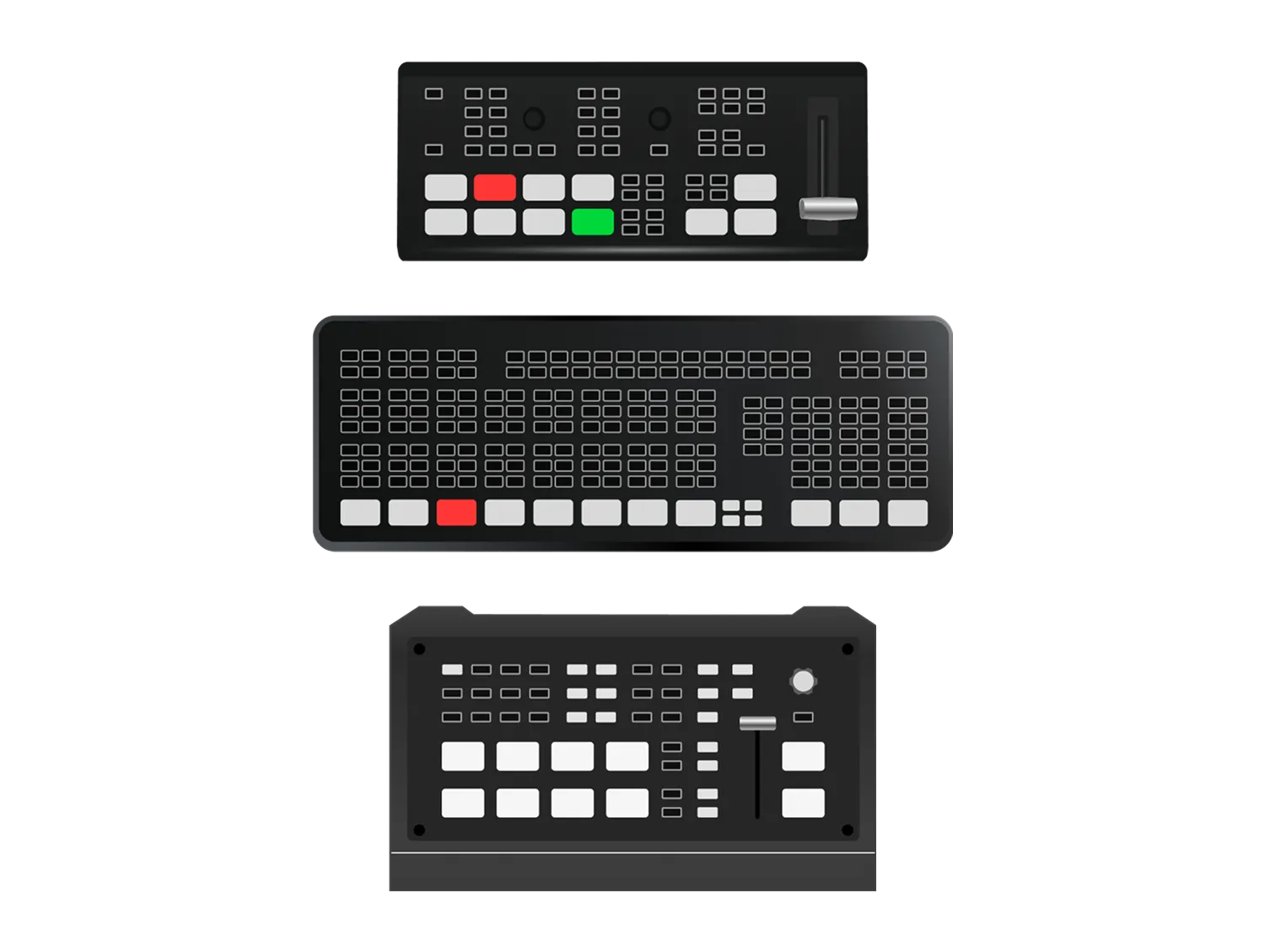
Existing production tools were un-intuitive and extremely slow. Creators were forced to juggle multiple systems for audio and video, leading to complicated workflows and frequent context switching. Managing multiple video sources, audio mixing, scene transitions, and streaming settings all at once was overwhelming.
"How might we enable creators to set up and produce high-quality multi-camera content with minimal friction, combining simplicity for beginners with efficiency for pros?"
Research & Discovery
I collaborated with creative professionals through interviews and workshops to understand their end-to-end workflows. The research progressed in stages — beginning with observations of existing studio setups to identify pain points and opportunities, validating design decisions through hands-on testing with working firmware builds, and concluding with contextual inquiries to evaluate how the final solution performed in real production environments.
Four themes emerged consistently. Existing solutions required extensive technical knowledge and frequent manual adjustments — workflows felt un-intuitive. Creators needed multiple separate systems for audio and video, fragmenting their creative flow. Scene management was universally painful: everyone desired easy scene creation and media manipulation but found existing tools clunky. Above all, speed mattered — production pace shouldn't be limited by the tool's learning curve.
Design Approach
The design strategy focused on three core principles: simplification, contextualization, and harmony between hardware and software. Existing production consoles overwhelm users with excessive buttons and complex layouts inherited from traditional broadcasting.
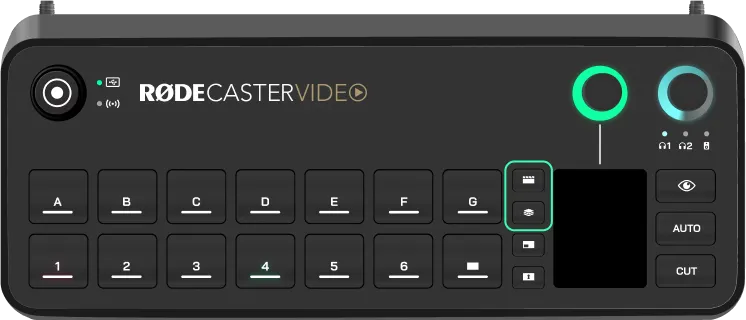
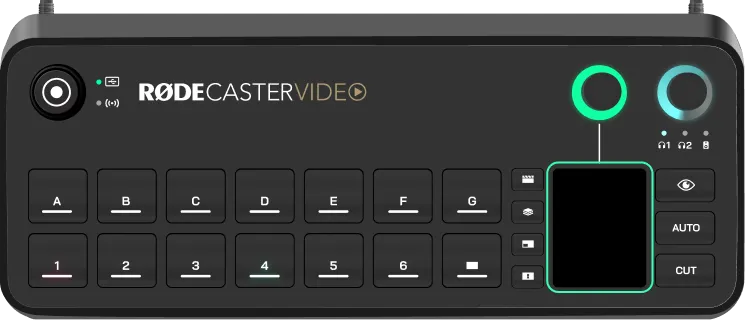
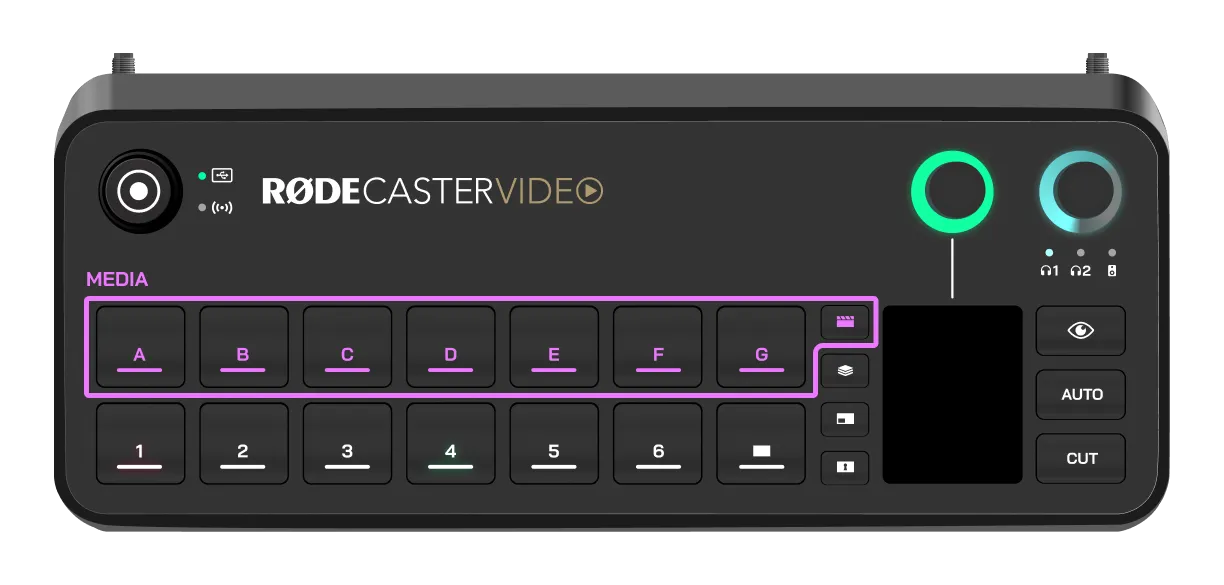
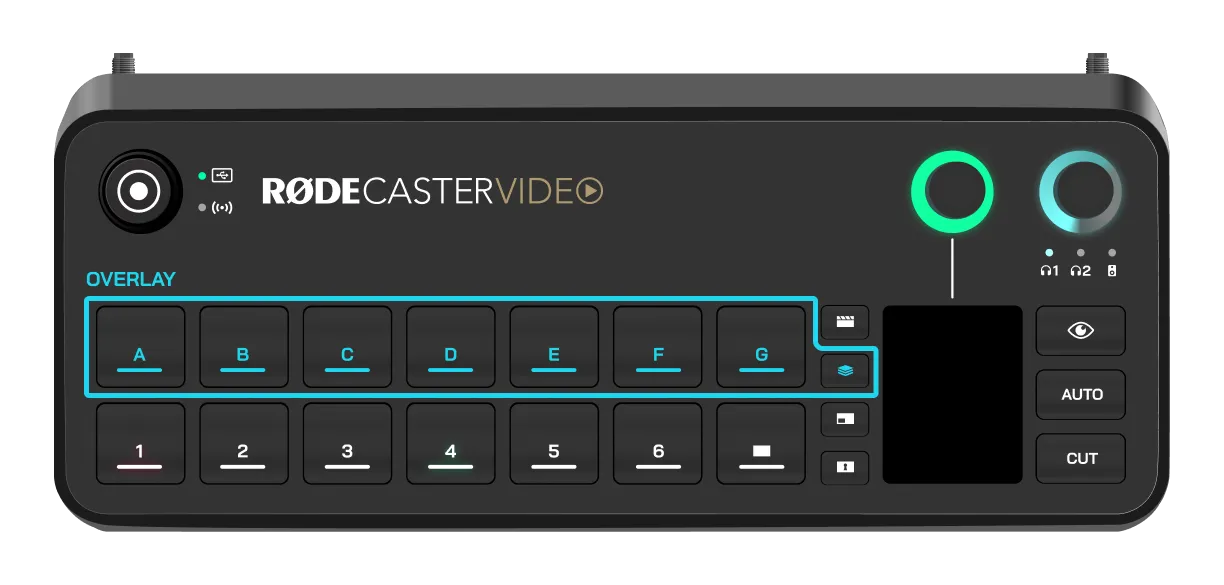
We addressed this through a contextual bank system — buttons intelligently change function based on the active context, significantly reducing physical clutter while maintaining quick access to essential controls. A hybrid touch interface handles complex configurations and visual feedback, reserving physical buttons for immediate, tactile actions.
The problem
The solution
Core Design Principles
Simplicity at Every Stage
Creators should be able to set up, control, and produce without friction — whether on the console or remotely through the companion app.
Tactile + Visual Harmony
Intuitive touch interaction paired with clear visual feedback across the console, Multi-View, and companion app.
Smart Defaults, Manual Control
Intelligent automation simplifies common workflows while still allowing precise manual control when creative intent demands it.
Detailed Design
Feature Prioritisation
I used the MoSCoW method to prioritise features based on user research and technical feasibility. This kept the team focused on what truly mattered at each stage.
Must Haves
Multi-camera production with live switching, integrated audio mixing, wireless integration for mobile devices, and scene presets.
Should Haves
Customisable layouts, RTMP streaming to platforms, multi-track recording, and an effects library.
Could Haves
NDI support for network video, advanced colour grading, cloud backup and sync, and XML export.
Won't Haves
SDI inputs (cost vs. benefit didn't align) and native 4K support (target market primarily uses HD).
Interface Architecture
The interface was designed around three primary zones. The touchscreen serves as the main control surface for live operation — scene switching, transitions, and input assignment. Encoders provide fine control and navigation. The Multi-View display offers complete visibility across scenes, audio channels, and sources in real time. Finally, the companion app extends the console, enabling setup, live controls, automation tuning, and scene management with a consistent, streamlined interface.
Contextual Interface Simplification
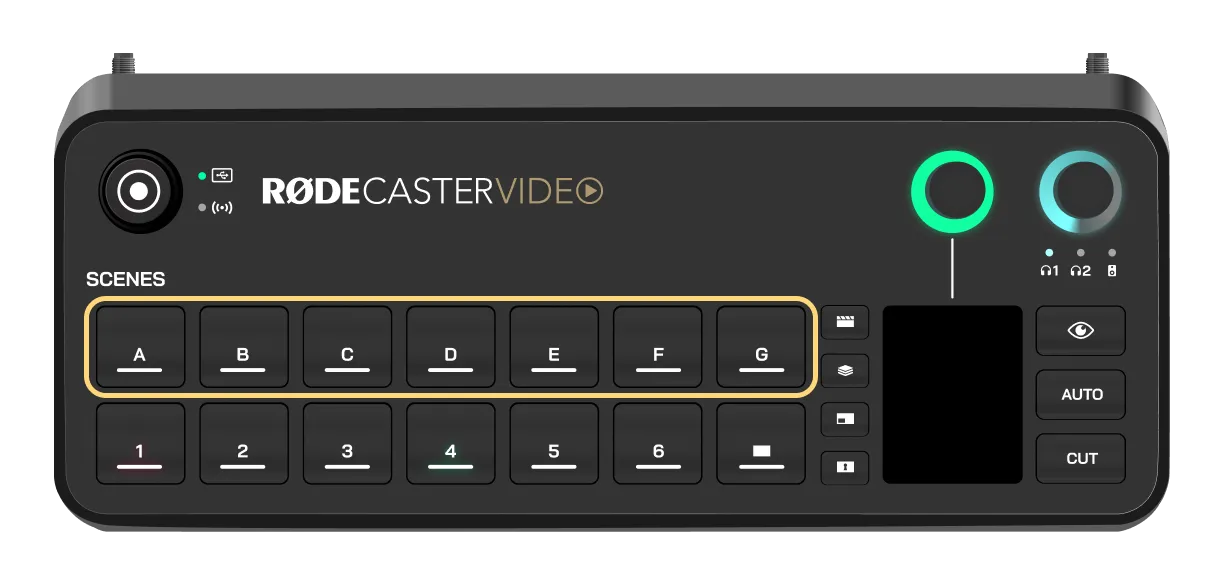
A key design evolution was simplifying the hardware through contextual button grouping and deeper touchscreen integration. Instead of dedicating a button to every function, buttons dynamically change purpose based on context. The top-row buttons shift between Media, Overlay, and Scene banks, with LED indicators and touchscreen labels providing clear feedback on which mode is active.
Auto-Switching & Intelligent Automation
The team developed specific logic and algorithms for an intelligent auto-switching system that creates an organic, conversation-driven production flow. It automatically changes scenes or camera inputs based on detected audio activity, allowing creators to focus on content rather than constant manual switching.
The system works through audio detection — switching to the corresponding input when audio is detected on a linked channel. Each input can be assigned a priority (low, medium, high) to determine how long it remains active, enabling smoother, more intentional transitions.
Inspect Mode
Live productions leave no room for mistakes. Inspect Mode gives creators a safe space to open inputs, scenes, media, or overlays and review or edit them without pushing anything live — avoiding mistakes, quickly checking technical details, and managing content without affecting the broadcast.
Instant Mode
Preview appears on the preview output, allowing you to check the source before transitioning it live.
Direct Mode
Access configuration settings and technical information without affecting the live output at all.
Visual Design Language
The visual design language focuses on clarity, immediate recognition, and reducing visual noise. The colour palette was chosen for maximum contrast while keeping the interface modern and professional.
Status Indicators
Green — Ready
Red — Recording / Streaming
Unlit — Not ready
Colour System
Red — Live / Recording
Green — Active / Ready
Blue — Selected / Focus
Amber — Warning / Attention
Key Features
Multi-Camera Production
Switch between up to 4 HDMI sources plus wireless devices with live preview and customisable transitions.
Integrated Audio Mixing
Professional audio controls unified with video production, eliminating separate audio equipment.
Scene Presets
Save and recall entire production setups instantly. Perfect for recurring shows.
Direct Streaming
Stream directly to platforms via RTMP without additional software or computers.
Learnings
Context is everything
Contextual interfaces can dramatically reduce complexity without sacrificing capability. Bank switching aligned with users' mental models.
Hardware + software synergy
Separating preparation (app) from performance (console) let each interface excel at its purpose.
Test with real workflows
Observing creators in actual production scenarios revealed pain points that interviews alone wouldn't surface.
Smart defaults over options
Most users benefit more from intelligent defaults that "just work" than from additional customisation.
Results & Impact
60%
Reduction in setup time
5 min
Setup to record
3 min
Average time to first stream
The redesigned interface successfully bridged the gap between accessibility and professional capability. Beginners were able to start streaming within minutes, while power users appreciated the depth of customisation available through the companion app. Post-launch surveys showed high satisfaction across all user segments, with particular praise for the intuitive hardware layout and contextual button system.